



Meer tools
Toepassingen



Shopify affiliate tracking sounds simple:
➡️ A potential customer clicks an affiliate link ➡️ They buy the product ➡️ The affiliate gets credited.
But, like so many things, what sounds easy in practice can be a serious headache in reality. Cookies get blocked. Customers switch devices. Discount codes and links tell different stories. And to top it all off, Shopify's native tracking has real limitations.
Fear not, though, because in this article I’ll explain how affiliate tracking actually works under the hood, where it fails, and what setup offers the most accurate attribution 👍
Before I dive in, let me just clear something up:
⚠️ I’m not being a Catty Kathy here. Shopify is a fantastic ecommerce platform – so fantastic that we built Modash for brands with Shopify stores. But it’s not an affiliate or creator marketing solution, so it inevitably has a few shortcomings if you’re relying on it for that purpose.
It’d be like writing a novel in WhatsApp. Sure, you could make it work, but it’s hardly ideal.
Some of Shopify’s affiliate-related shortcomings are around tracking. Out of the box, Shopify shows sales by discount code and referral source (via UTM parameters), which is fine for a top-level overview of affiliate program performance.
But it doesn’t tie together codes and referrals per affiliate, so you have to manually cross-reference discount code reports with a spreadsheet of who has which code. It’s a pretty laborious process that just doesn’t scale.
Shopify also has a couple issues with attributing affiliate sales.
For starters, it struggles with cross-device journeys. So if a customer clicks a link in an affiliate’s Instagram Story recommending your product, but then decides to complete the transaction on desktop, the creator in question won’t earn a commission for referring the sale.
There’s also a problem with blocked cookies, whereby sales don’t get attributed back to the affiliate link – and therefore to the creator – even if the UTM parameters survive the click.
In both those scenarios, creators are generating sales but aren’t being rewarded for it. Cue commission disputes and high rates of inactive affiliates 🤦♀️
Even when Shopify affiliate tracking works like it’s supposed to, you can still end up with weird disparities in your numbers because of the way UTM links and discount codes function.
Here’s a common scenario: a customer clicks an affiliate link but doesn't buy until two days later on a different device, using the creator’s discount code at checkout. The code records the sale; the link records… nada.
And the reverse can happen too – the customer clicks the affiliate link and buys immediately, but forgets to enter the discount code. So the UTM link tracks the sale but there’s nothing for the code.
Two sets of numbers, both technically “accurate”, but each telling a different story.
I’ve already mentioned affiliate links. Now, if you’ve never used them before, I’ll explain what they are and how they work.
In a nutshell, affiliate links are unique, clickable links that you assign to individual creators. Each affiliate link contains a bunch of UTM parameters that tell analytics tools where the click came from (what platform, what creator, and sometimes additional info like what campaign).
For example, here are some Instagram Story frames from Stanley 1913 affiliate Georgia Lyon, each containing a clickable affiliate link…
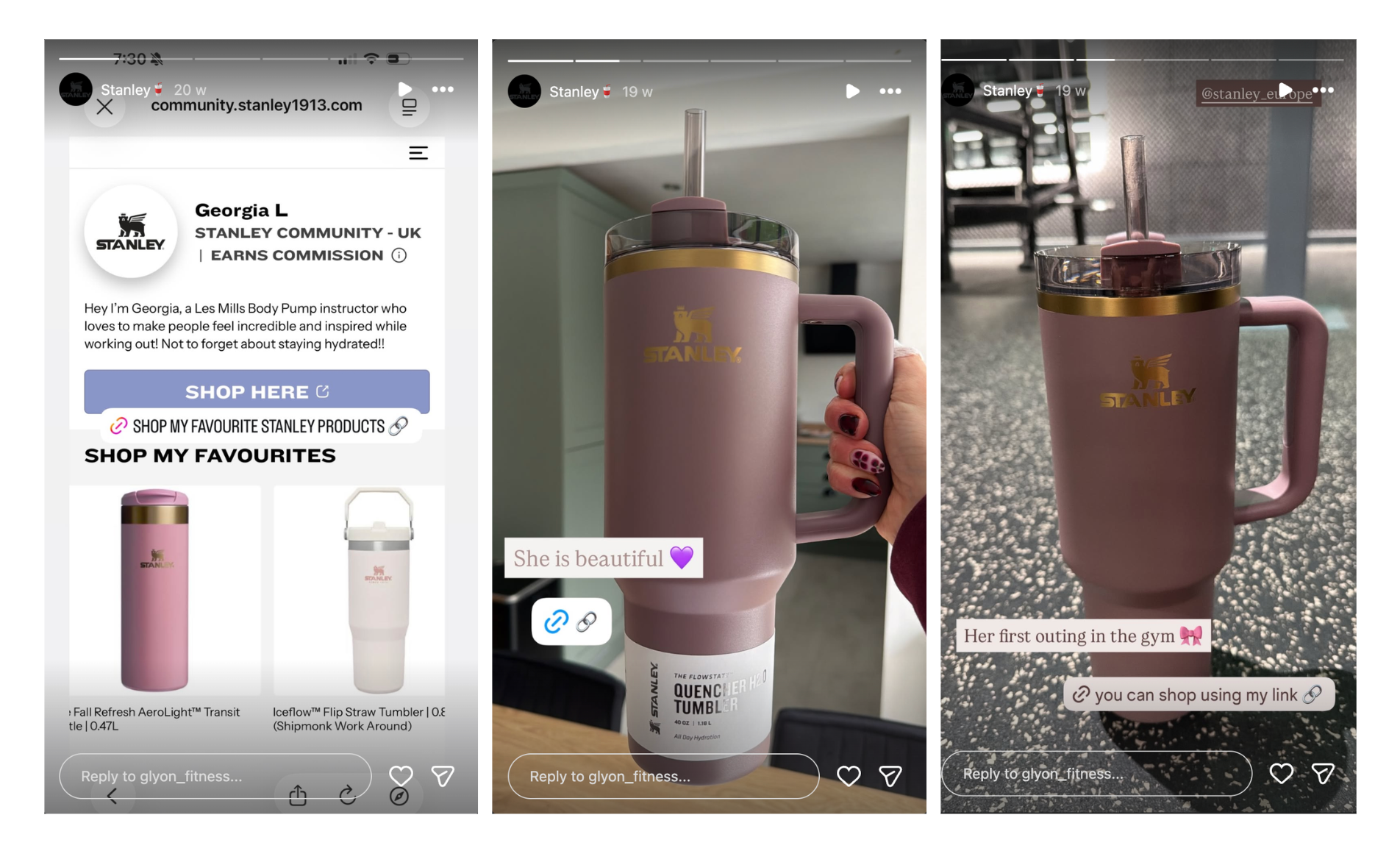
…and here’s a look at the link with UTM parameters identifying Georgia as the referrer 👏

Affiliate links are one of the two most common methods for tracking affiliate sales on Shopify; the other is discount codes (AKA promo codes). Again, these codes are unique to each creator. When a shopper enters a code at checkout, they receive a discount and the relevant creator earns a commission.
Here’s an example from Sennheiser affiliate Muhd Rifqi:
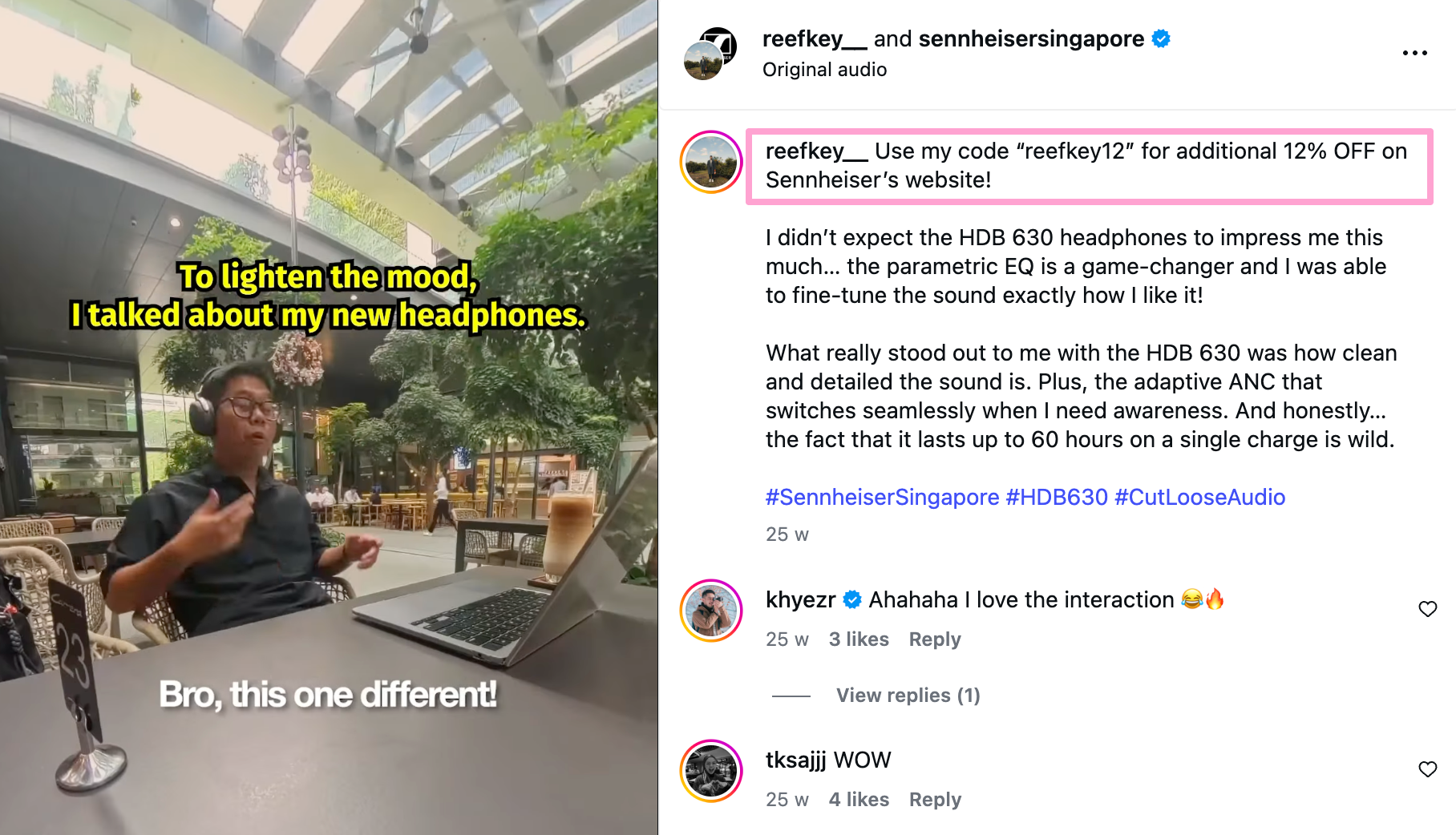
As you can see, discount codes and affiliate links measure different things. As a general rule, codes are best for tracking sales, whereas links are best for tracking traffic. So which is right for you?
Actually, there’s no need to think of affiliate links and promo codes as an “either or” decision, because it makes more sense to use both. That way, you can feel more confident about the accuracy of your affiliate sales data.
Affiliate links and promo codes can only get you so far, because they still require some manual heavy lifting to make sense of the numbers.
Specifically, you’ll have to consolidate everything in a giant spreadsheet to figure out which links and/or codes relate to which transactions. This is annoying but manageable if you only have a handful of affiliates, but totally unworkable once you start to grow your affiliate program.
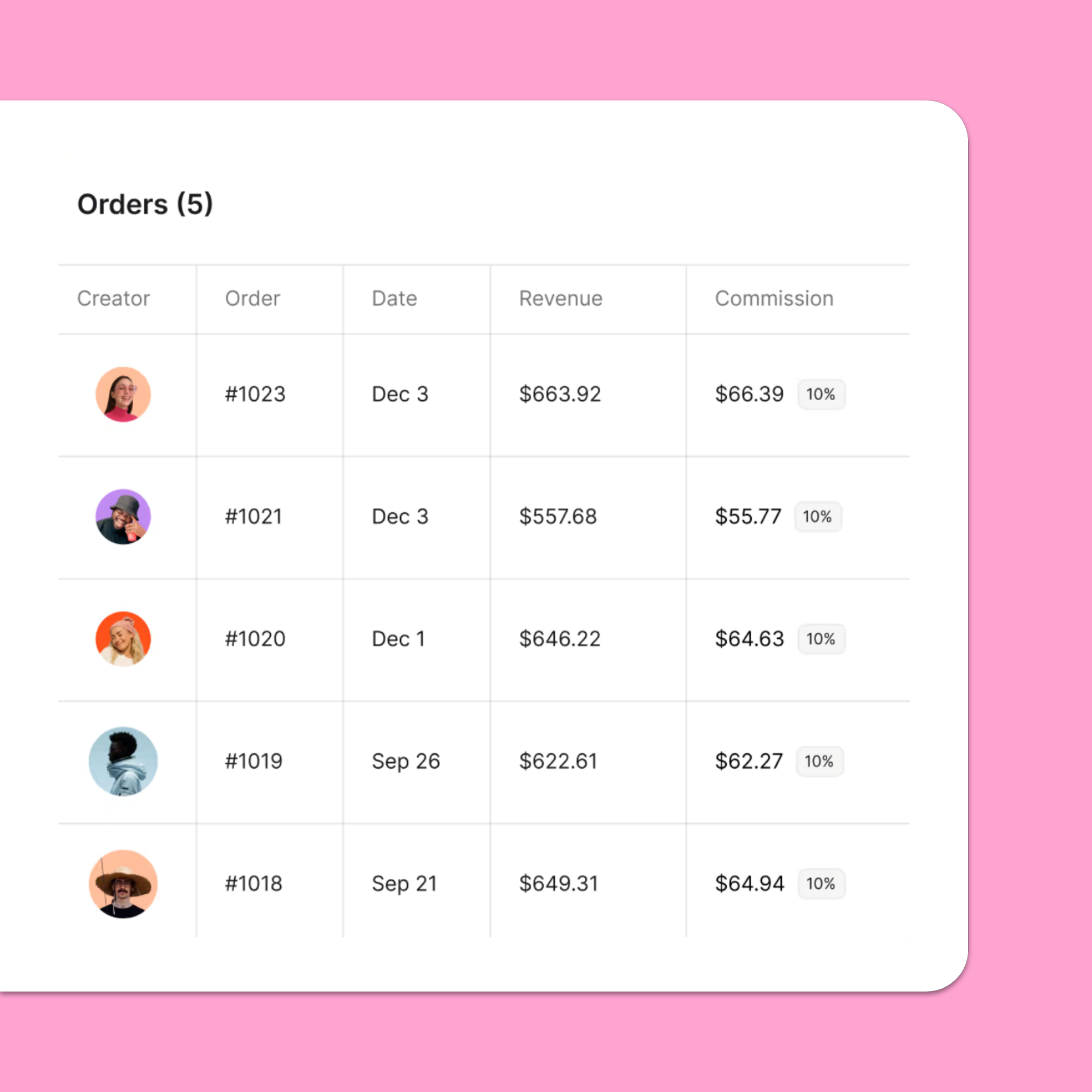
That’s why Shopify brands that are serious about affiliate marketing end up switching to a dedicated, Shopify-native affiliate platform to handle the attribution side with zero manual effort. For example, Modash’s direct Shopify integration automatically tracks total sales, orders, revenue, and commissions per affiliate.
🤓 Further reading: Learn more in my roundup of the 12 Best Affiliate Tracking Software Tools.
Remember earlier, when I mentioned how blocked cookies can prevent sales from being attributed to the right creator?
One way around this is to swap UTM-based tracking for a method that doesn’t rely on cookies, such as postback tracking. With postback tracking, conversion data is sent directly between two servers – your store’s and your affiliate tracking platform’s – keeping it safe from outside interferences like ad blockers, cookie restrictions, and privacy updates.
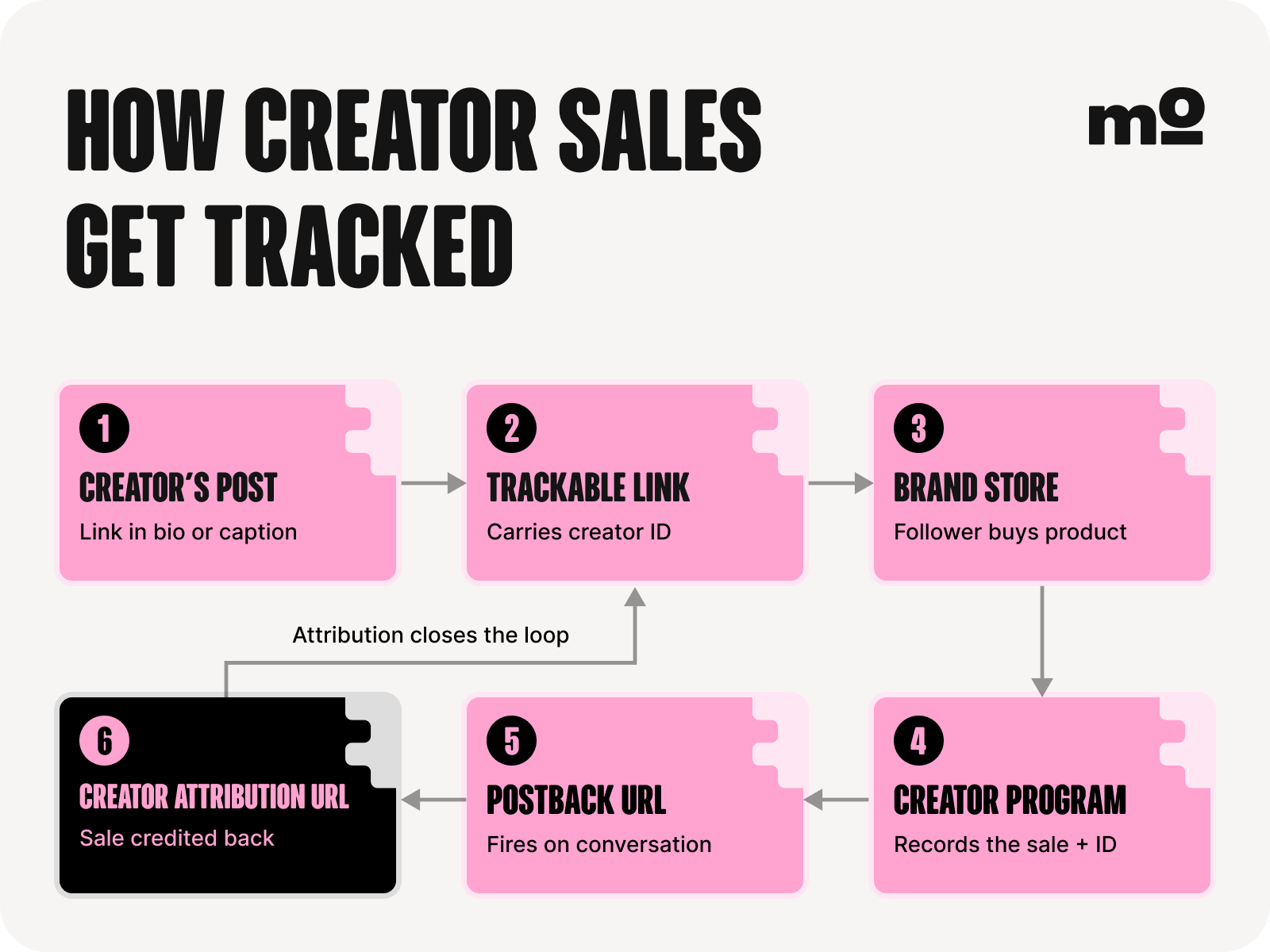
I’m not gonna get into the intimate technical details of setting up postback tracking here. Instead, I’ll tell you to bear in mind that some affiliate platforms handle postback tracking for you, and that’s about all you need to know.
First up, you need to choose your preferred method of Shopify affiliate tracking from the list above. Unless you’re gonna go down the postback tracking route, the best practice here is to use both affiliate links and discount codes. That way, if there’s an issue with one method (like the tracking cookie gets blocked or the customer forgets to use the code), you can still track the conversion via the other method.
Assuming you follow the best practice from the previous section, your next step is to assign unique affiliate links and discount codes to your affiliate partners.
(Plus you’ll need to generate additional codes and links each time a new creator joins your program.)
There’s nothing to stop you doing this manually by simply coming up with your own promo codes and using a tool like Google’s Campaign URL Builder to create unique links. But it’s pretty labor-intensive – not to mention seriously boring – if you’ve got to do it for dozens or hundreds of affiliates.
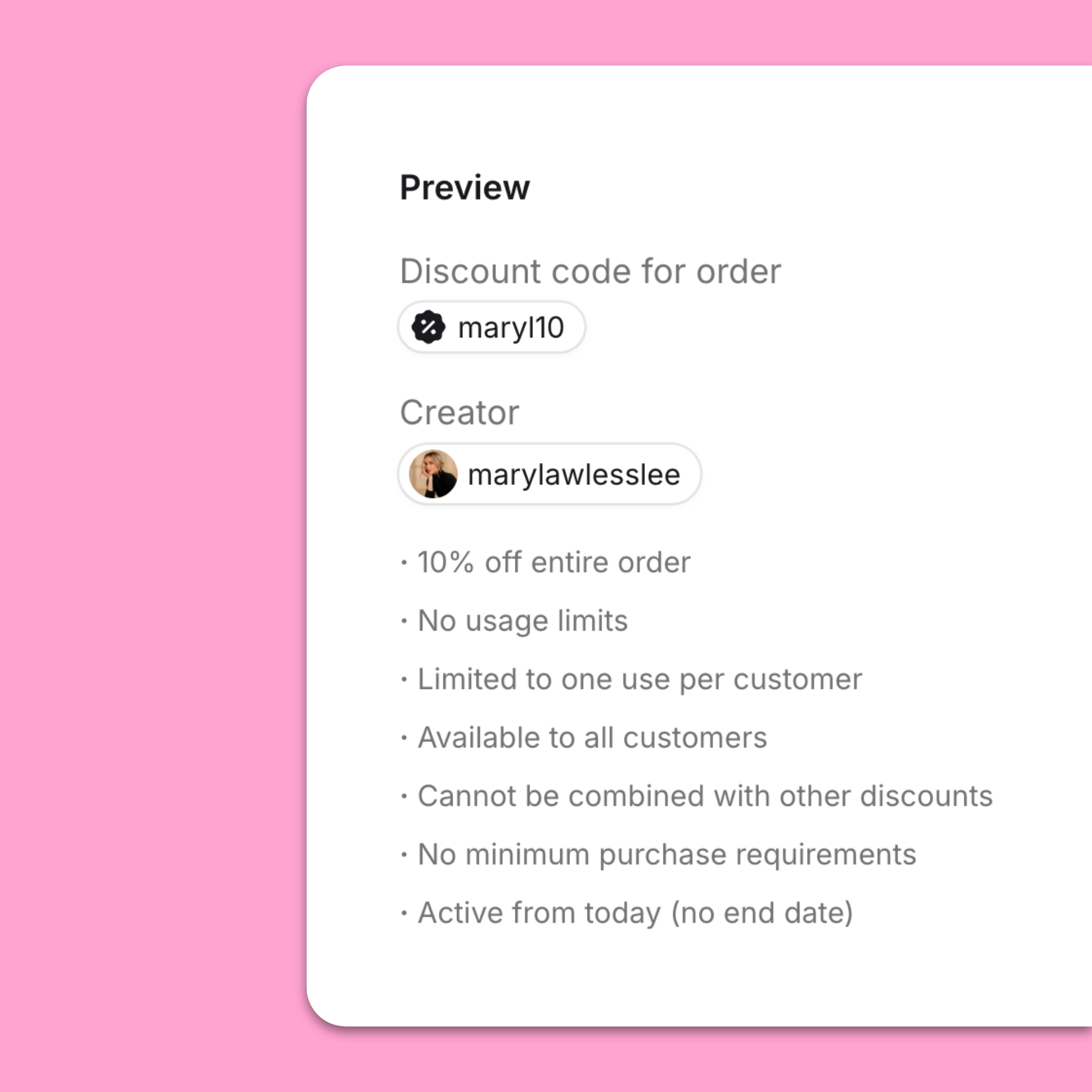
The smart solution is to use a tracking tool like Modash, which lets you create unique affiliate links and Shopify promo codes with custom rules and share them with creators in just a few clicks.
Another big piece of the affiliate tracking puzzle is your attribution window: the timeline within which an affiliate earns a commission following the initial click on their UTM link.
For example, if you have a seven-day window and a customer buys six days after clicking an affiliate link, the relevant creator gets a cut of the sale. But if the conversion doesn’t happen until 8+ days after the click, they earn a big fat nothing.
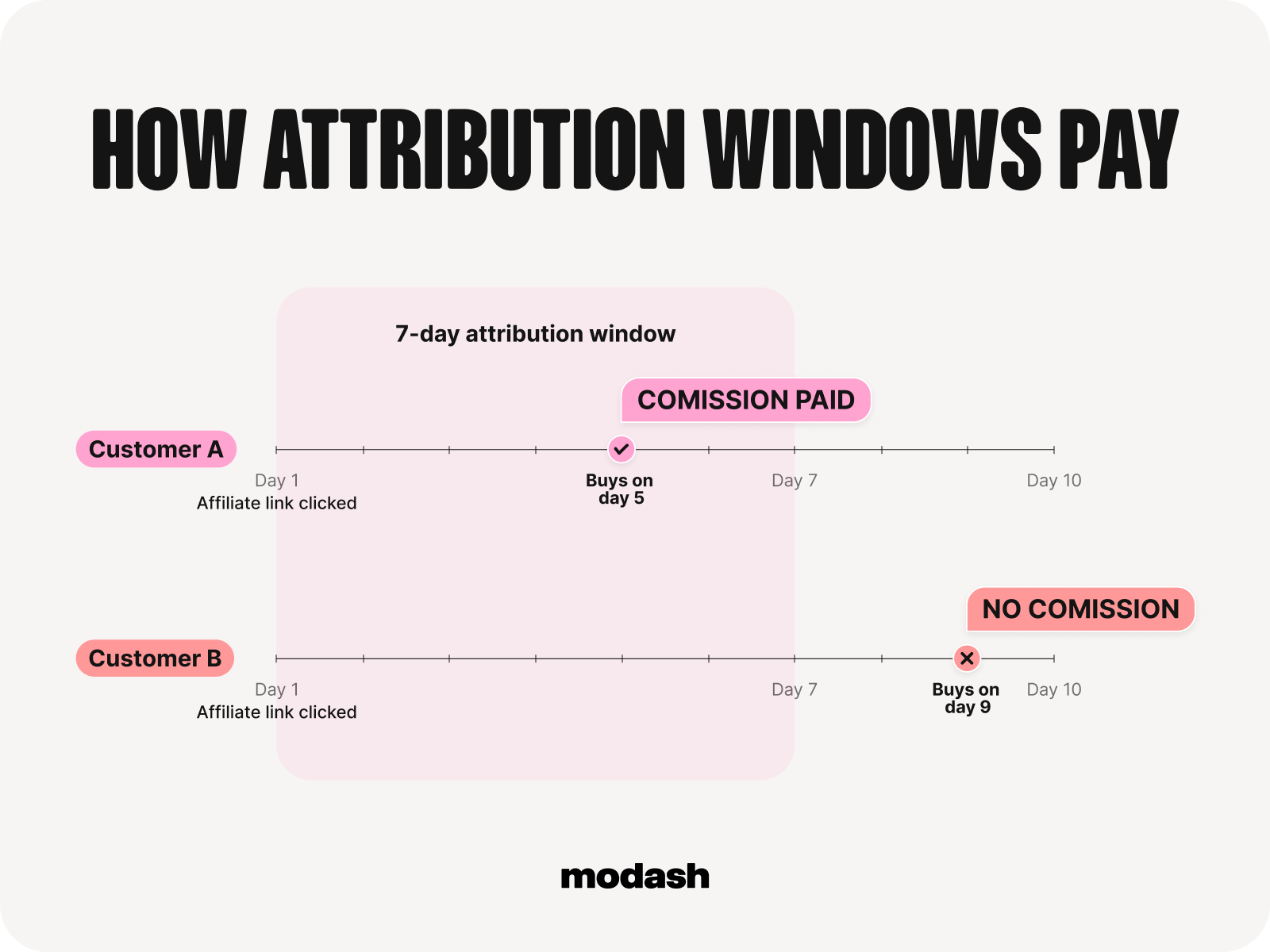
From a creator’s perspective, longer attribution windows (or even better, no attribution window) will always be better, whereas brands might prefer shorter windows. Do a little competitor research before deciding yours, because you (probably) don’t want to offer a significantly longer or shorter window than the average for your niche.
But the important thing here isn’t just to define your attribution window – it’s also about communicating it to your affiliate partners to avoid disputes. Share your window with creators before they start, ideally in their affiliate onboarding docs and/or affiliate agreement.
Because if an affiliate knows upfront that sales are credited within seven days of the click, there's nothing to argue about later.
Sure, you want to see that your affiliate program is producing lots of link clicks and code redemptions.
But, more importantly, you need to know how all that creator activity translates to meaningful, measurable conversion data.
I’ve already described what the manual process for doing this looks like: basically, a lot of hours staring at a spreadsheet matching codes and links to actual transactions in your Shopify backend 🥱
Far smarter to use an affiliate marketing platform like Modash, which pulls revenue and order data per affiliate direct from Shopify.
👉 Try all our affiliate tracking and management tools for yourself when you create your free Modash account.
Finally, you need to think about how you’re gonna review earned commissions to make sure you’re not overpaying affiliates. Plus you’ll want a system for handling disputes (AKA creators asking “I drove that sale, why wasn't I credited?”).
I’ve never run an affiliate program myself. So I asked a couple people who have how they handle this part of the tracking process, namely:
Both told me that commission disputes are pretty uncommon because their programs were managed through an affiliate platform or network, leaving little room for mistakes or disagreements.
The process is fairly straightforward: you validate the tracked conversions, and if a customer later requests a refund or return, the commission is typically reversed or not paid out. In most cases, this is handled automatically within the platform, so manual intervention is minimal.

For example, in Modash, your affiliates can track all their earned commissions and payout statuses in real-time through our creator dashboard:
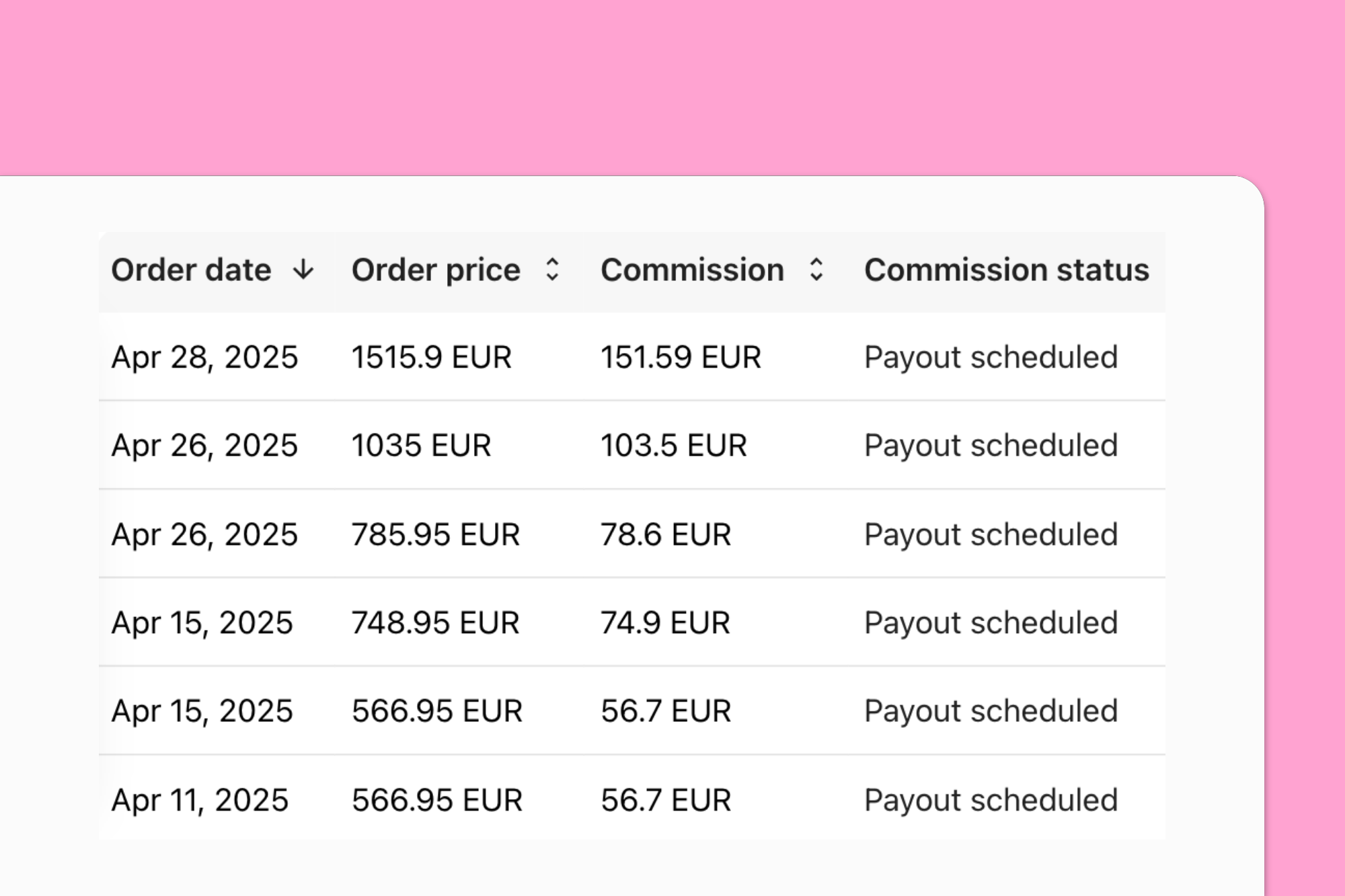
(Of course, there’s way more scope for human error – and disputes – if you’re handling all this stuff manually.)
As for auditing, Melissa explained that she regularly reviewed performance reports in her affiliate platform against wider company sales data from Shopify to make sure everything matched up and to calculate the percentage of sales coming from creator activity. This also helped on the rare occasions when affiliates flagged up potential discrepancies.
If a creator ever had a question about a commission, we'd be able to investigate by checking the attributed order, link activity and discount code usage across both our affiliate platform and our Shopify backend.

As you probably know, Apple has been introducing a whole raft of iOS updates designed to protect user privacy.
I’m not going to explore those changes in-depth – for more info, this explainer from Reuters does a decent job – but in a nutshell they require app developers to seek user permission before tracking their journeys across other apps and websites.
All of which spells trouble for tools (and brands) that rely on link + cookie-based tracking.
The upshot is that code-based attribution is now often the most dependable affiliate tracking mechanism. So you don’t want to rely on Shopify’s native promo code tracking tools, which require you to manually match up codes, affiliates, orders, revenue, and commissions.
Far better to use a tool like Modash, which operationalizes promo codes through per-creator attribution, reporting, and commissions.
Throughout this article, I’ve used the word “tracking” to describe measuring the impact of affiliate marketing on website traffic and sales.
But there’s another type of tracking that’s important to mention, too: the process of identifying and capturing all the fantastic content your affiliates are sharing. There’s no way to do this in Shopify, as Melissa notes:
In my experience, Shopify affiliate tracking was limited to just clicks and conversion, and we couldn't cross-check content pieces without also using our affiliate marketing platform, so it was important to have both.
In other words, if you don’t have dedicated software for tracking content, your only option is to manually scroll your affiliate partners’ social feeds and take screenshots/save links yourself, then file them away on your desktop or Google Drive for future reference. If you work with more than a half-dozen-or-so influencers, this task can easily become a full-time job.
So give yourself a break and use a tool like Modash, which automatically tracks content – including Stories – featuring specific hashtags, mentions, or keywords.
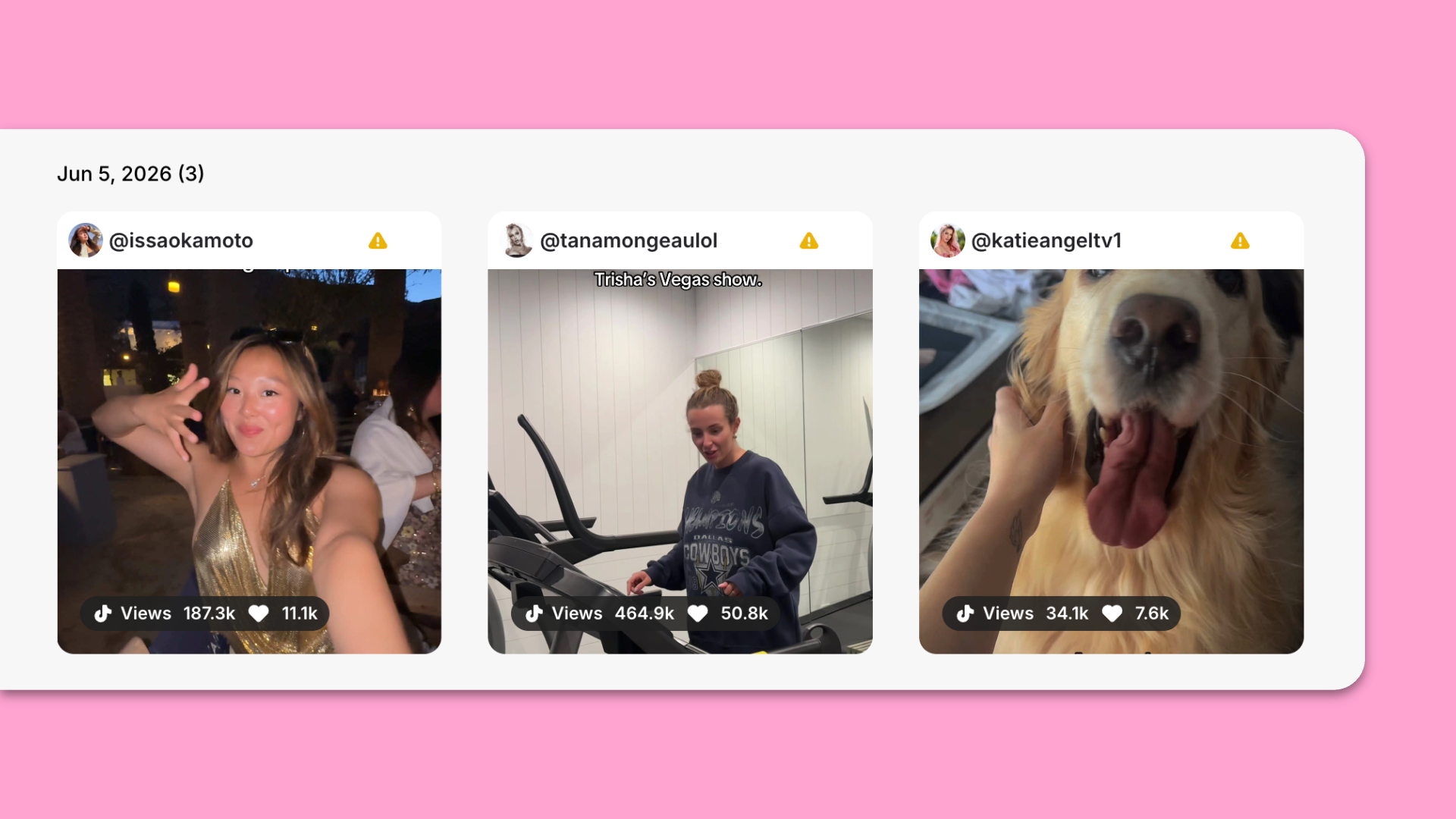
Or you can activate our Event mode to pull in every post shared by specific accounts from a certain date – so even if your affiliate partners forget to add the right tags, you’ll still see their content.
🤓 Further reading: Learn more in How To Monitor Influencer Content.
Imagine a shopper watches an affiliate’s Reel or TikTok or YouTube video, then goes straight to your store and buys at full price. With Shopify’s native setup, you’re lost, because it relies 💯 on promo codes and/or links to track results.
Modash fills in an important blank here by adding content visibility. Not only do we automatically capture live content, but we also show you how it performed in terms of views and engagement.
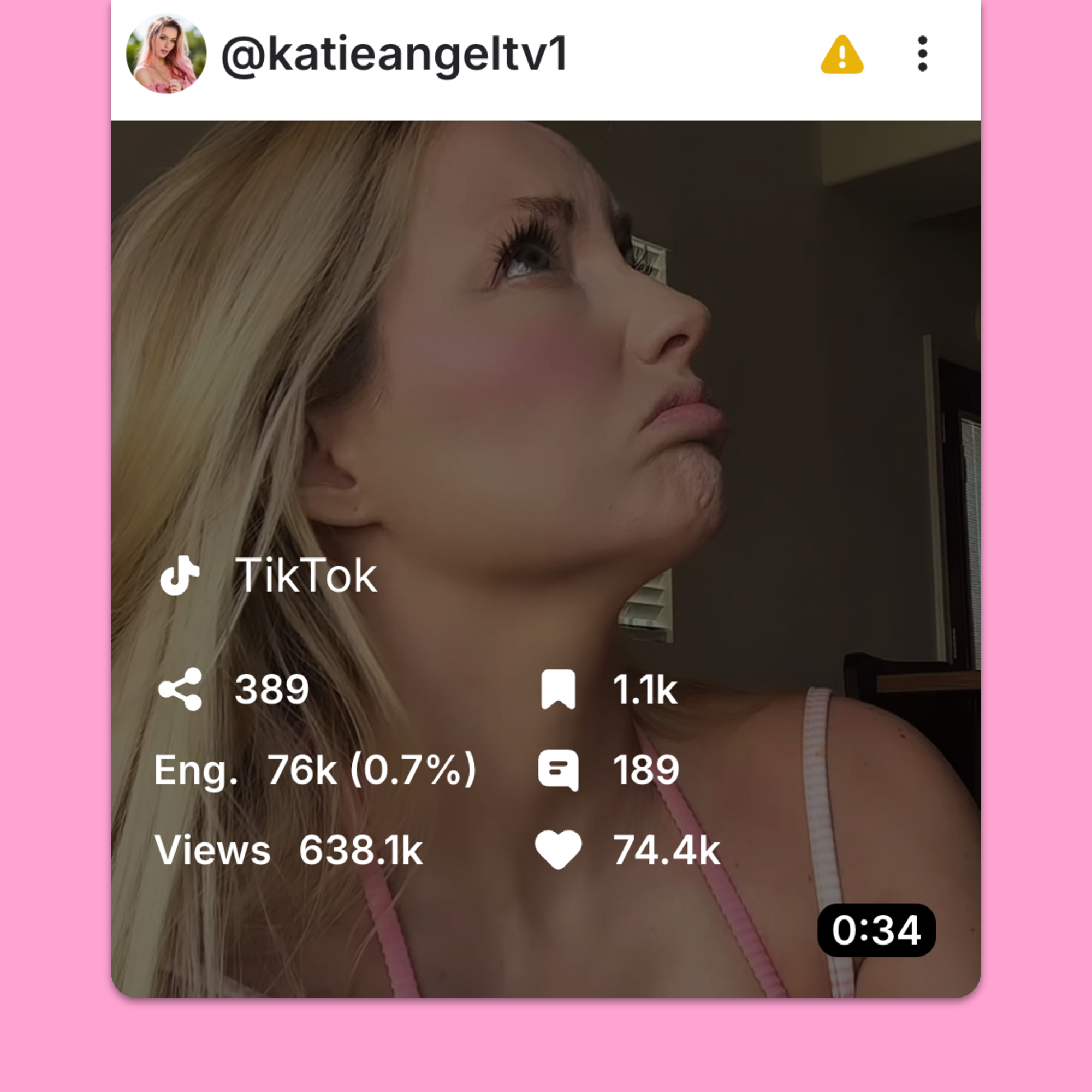
So if you see…
…then you can confidently draw a connection between content performance and conversions.
Shopify affiliate tracking is as easy or hard as you want it to be.
If you want to do it all manually (i.e. without any additional software), you can lean on Shopify’s built-in analytics for basic tracking – think clicks and code redemptions. But if you want to tie that stuff to specific creators and transactions, you’re gonna have to spend a ton of time piecing everything together in a spreadsheet.
Or you can let Modash’s affiliate tracking tools do all the hard stuff for you: sharing links and codes with creators; connecting affiliate activity to sales and revenue; keeping affiliates in the loop about the commissions they’ve earned.
All of which frees you up for the stuff that really makes a difference – building stronger relationships with your creator partners 💪
👉 Try Modash’s affiliate tracking tools by creating your free account!